Topic overview
A good meetup feels easy because the preparation was deliberate
Hosts do not need a corporate event manual for a relaxed world hop or game night. They do need a shared answer to a few operational questions: who the event is for, how people enter, which conduct rules apply, who can remove a disruptive attendee, and where someone can ask for private help. Publishing those answers with the announcement prevents attendees from having to infer the event boundary after they arrive.
Instance type is a safety and accessibility choice, not merely a technical setting. Public access can support discovery but brings a different moderation load from group, friends-plus, or invite-based access. Capacity, platform mix, avatar performance, world navigation, and quiet-space options also affect whether guests can participate comfortably. The host guide turns those variables into a short reusable checklist.
Personal controls are legitimate participation tools
Mute, avatar hiding, blocking, reporting, and leaving an instance solve different problems. Attendees should be encouraged to use them without being told to confront someone first. Immediate distance may be more important than collecting evidence, especially when a person is overwhelmed or feels unsafe. The reporting guide explains what each control changes and when an official VRChat Trust and Safety report may be appropriate.
Community hosts add a separate layer. They can remove someone from an organized instance, document a rule concern, preserve limited relevant evidence, and follow their own review process. They cannot replace VRChat's platform enforcement or guarantee what another instance will do. Separating those responsibilities helps staff communicate honestly and keeps incident response proportionate.
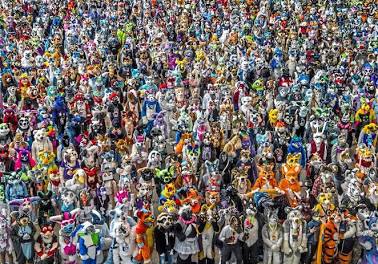
Furry VR events range from local meetups to major productions
VRChat supports informal friend gatherings, community group events, creator showcases, and large virtual conventions. Furality describes its Online Xperience as a furry convention held in VRChat with panels, meetups, performances, and a Dealer's Den. Projekt: Community organizes its own virtual events and interest groups. Those examples show the range of possible formats; they are independent organizations with their own registration, rules, staffing, and safety practices.
This cluster focuses on transferable practices rather than reviewing a specific event. Begin with the organizing guide if you are hosting, use the block-and-report guide if you need an immediate platform action, and keep the event-host checklist beside your run sheet. Real Mello Zone recaps will be added only after actual events, with confirmed details, participant consent, attributable media, and a clear distinction between observation and promotion.
Attendees can use the same preparation mindset on a smaller scale. Confirm the official organizer and start time, update VRChat before the event, choose an avatar that fits the world and device, identify a comfortable exit, and know how to reach a host privately. Leaving, muting, hiding an avatar, or blocking someone are valid safety choices; participation never requires enduring a harmful interaction for the sake of politeness.