
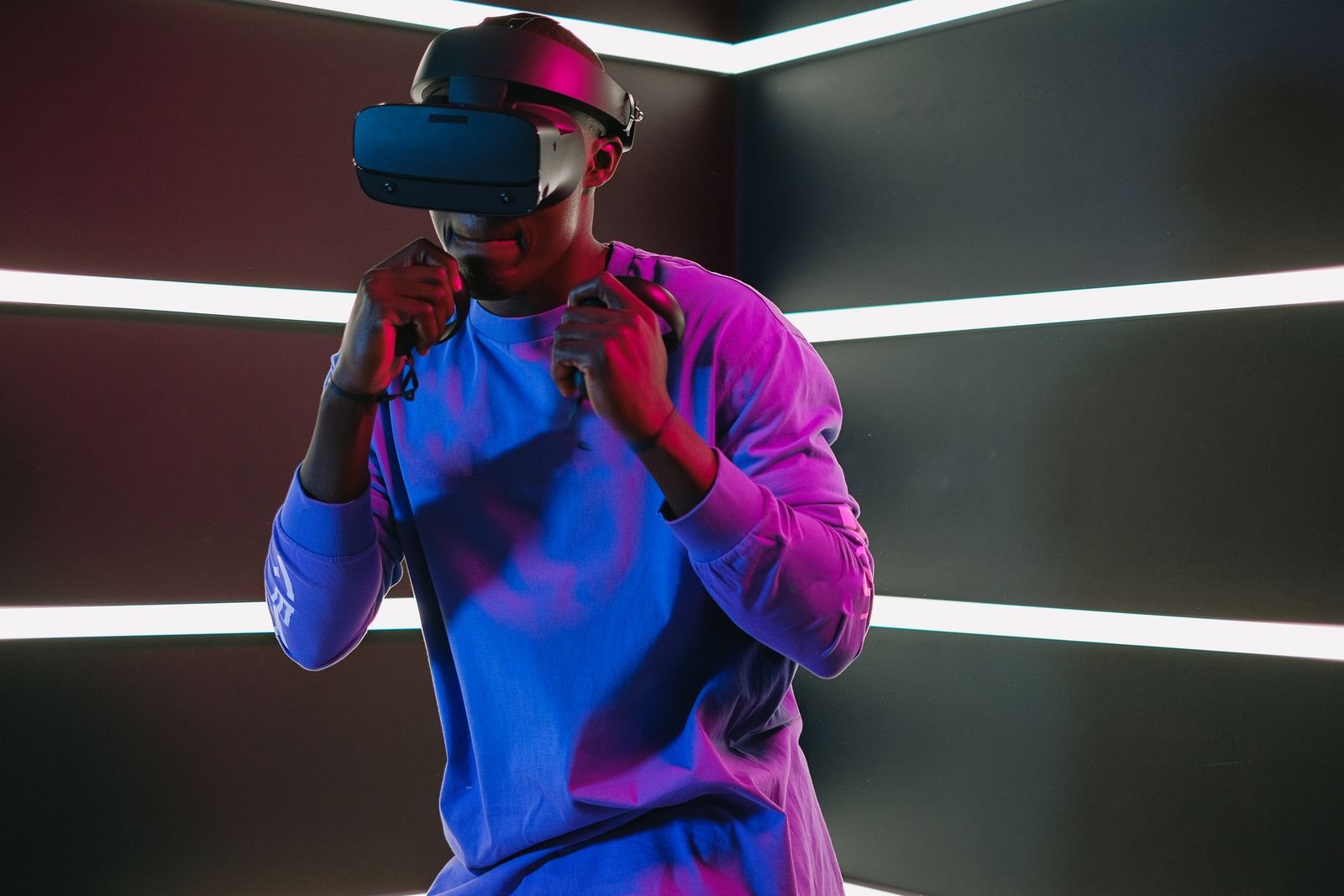
Hardware status, August 5, 2026: Steam Frame is a confirmed Valve product, but its final consumer price and exact on-sale date were not published in the sources reviewed for this update. Project Phoenix, also reported under names including Puffin and Loma, remains an unannounced Meta headset described through reporting and leaked internal material. Meta Quest 4 is likewise unannounced. Every section below labels confirmed hardware separately from reported plans and speculation.
The direct answer: Steam Frame is the most important near-term headset in the SteamVR conversation because it tries to turn PCVR from a collection of cables, base stations, launchers, and compatibility layers into a SteamOS appliance that can also stream from a gaming PC. For VRChat furries, that could mean easier wireless access to high-detail PC avatars and SteamVR worlds. It does not automatically mean plug-and-play full-body tracking, avatar eye tracking, or face tracking.
Meta’s rumored Project Phoenix is not Quest 4. Phoenix is reported as an ultralight, puck-connected headset focused on virtual screens, media, and seated mixed reality. Quest 4, reportedly associated with the codename Griffin, is the more traditional gaming-focused successor to Quest 3 and is not expected until later.
The question is therefore not simply Steam Frame vs Meta Quest 4. It is whether Valve can ship a practical Steam-first social VR headset before Meta’s split next-generation roadmap becomes real, and whether that convenience is enough to pull PCVR users away from Valve Index, original HTC VIVE, VIVE Pro 2, and VIVE Focus Vision systems.
Steam Frame is the headliner because it is real hardware
The first difference between Steam Frame and the Meta devices is certainty.
Valve has publicly announced Steam Frame. It has a product page, a disclosed hardware design, developer information, controllers, specifications, and a SteamOS software strategy. Quest 4 and Phoenix are still described through reporting, leaks, firmware clues, and executive comments.
Steam Frame is a standalone headset with an ARM-based Qualcomm Snapdragon 8 Gen 3, 16 GB of memory, internal storage options, a microSD slot, dual LCD displays, pancake lenses, inside-out tracking, eye tracking, SteamOS, and a dedicated wireless adapter for PC streaming.
The published specification picture, also documented in PC Gamer’s Steam Frame specification overview, looks like this:
| Steam Frame feature | Announced specification | Why it matters |
|---|---|---|
| Displays | 2160 × 2160 LCD per eye | Similar pixel class to Quest 3 and much higher than Valve Index |
| Refresh rates | 72, 90, 120 Hz, with 144 Hz experimental | Supports comfort and high-motion PCVR use |
| Optics | Custom pancake lenses | Better edge-to-edge clarity than older Fresnel systems |
| Processor | Snapdragon 8 Gen 3 | Enables standalone SteamOS operation |
| Memory | 16 GB | Gives the standalone layer more headroom than typical mobile VR hardware |
| Storage | 256 GB or 1 TB, plus microSD | Supports streaming-focused and local-library use cases |
| Tracking | Inside-out headset and controller tracking | Removes the base-station requirement for normal operation |
| Eye tracking | Built in | Used by Valve for foveated streaming |
| PC connection | Dedicated 6 GHz wireless adapter | Creates a controlled PCVR streaming link |
| Passthrough | Monochrome | Useful for setup, but not a color mixed-reality competitor |
| Weight | Roughly 440 grams with the standard system | Lighter than Valve Index and Quest 3 in published comparisons |
| Operating system | SteamOS | Connects the headset directly to the Steam ecosystem |
| Price | Not officially final in reviewed sources | The largest unresolved buying question |
That table contains the central promise. Valve is not presenting Steam Frame as a better monitor attached to an old PCVR stack. It is presenting a new Steam device that happens to be a headset.
The distinction matters.
Valve Index required a gaming PC, a wired headset connection, external laser base stations, and a room arranged around that tracking system. Steam Frame is designed to start from inside-out tracking and wireless operation. It can use its mobile processor for local software while reaching back to a PC when a title needs desktop-class graphics.
For readers following the Mello Zone VRChat furry pup community guide, this is the hardware equivalent of replacing a complicated event checklist with one reliable doorway. The result could bring more people into PC-quality VRChat without asking them to become part-time network engineers first.
Why Steam Frame could be a PCVR game changer
“Game changer” gets attached to every glowing headset render, so it needs a real definition.
Steam Frame changes the PCVR market if it succeeds at four jobs at once:
- Make wireless PC streaming dependable enough that most users stop missing the cable.
- Make SteamOS simple enough that the headset feels like a console rather than a Linux experiment.
- Make existing Steam libraries more useful inside and outside VR.
- Make setup easier without cutting off the enthusiast features social VR users actually care about.
The first three are visible in Valve’s announced design. The fourth remains the test.
Steam becomes the platform, not merely the store
Current PCVR often feels like a stack of rooms connected by narrow hallways:
Windows
→ headset software
→ SteamVR
→ streaming utility
→ tracking utility
→ avatar or social application
Each layer can update, crash, lose a device, reset an audio output, or forget a boundary.
Steam Frame aims to collapse more of that stack under SteamOS. The headset can be a Steam endpoint itself, and Valve is developing compatibility paths for software built for other architectures. Some titles may run locally. More demanding VR titles can stream from a gaming PC.
For a furry creator with hundreds of Steam games, that means the headset is not useful only when VRChat is open. It can become a private theater, a virtual monitor, a portable Steam device, and a PCVR display.
That broader use case matters because headsets survive when owners have more than one reason to put them on.
Foveated streaming attacks wireless bandwidth differently
Traditional foveated rendering lowers the rendering workload by drawing the area around the user’s gaze at higher detail. Steam Frame’s headline technique is foveated streaming, which focuses transmitted image quality where the user is looking.
The distinction is important because the PC game does not necessarily need to implement the technique itself. Valve can use eye position to spend more of the wireless link on the part of the frame the viewer is examining.
For VRChat, this could be especially useful in crowded worlds where a PC is already rendering many avatars, mirrors, particles, PhysBones, shaders, and environmental effects. The PC still has to render the scene, but the network does not have to preserve equal detail across every peripheral pixel.
That is the theory. Real-world quality will depend on latency, router placement, radio congestion, encoder behavior, movement, and how gracefully the image responds when the eyes jump across the scene.
A dedicated wireless adapter reduces home-network chaos
Wireless PCVR normally competes with everything else using the home router:
- Phones
- Televisions
- Consoles
- Laptops
- Smart-home devices
- Other streamers
- Neighbors in nearby apartments
Steam Frame includes a dedicated 6 GHz wireless adapter for its PC link. That does not repeal physics, but it gives Valve more control over the connection than a generic router configuration.
For PCVR furries who dance, perform, crouch, lie down, spin, or move around a stage, removing the headset cable can be a substantial quality-of-life improvement. A wireless setup also reduces the risk of winding the cable around a leg, chair, tail accessory, or tracker strap.
The Mello Zone event safety guide discusses movement, recording, staff positioning, and physical-space awareness for virtual events. Headset design belongs in that safety conversation. Hardware that reduces cable hazards can help, but only if battery, tracking, and wireless stability remain predictable.
Inside-out tracking lowers the entry barrier
Base stations deliver excellent tracking, but they require power outlets, mounting, line of sight, room setup, and an ecosystem of compatible equipment.
Steam Frame tracks itself and its controllers with onboard cameras. A user can take it to another room or location without rebuilding a Lighthouse layout.
That portability is valuable for:
- Convention hotel rooms
- Creator collaborations
- Community demonstrations
- Traveling performers
- Shared apartments
- Small bedrooms
- Users who cannot permanently mount hardware
It is also the point where the device starts challenging older VIVE and Index systems. Ease wins many hardware battles before resolution does.
Steam Frame is not a perfect Quest replacement
Steam Frame is Steam-first, not mixed-reality-first.
Its announced passthrough is monochrome rather than the full-color room view offered by Quest 3 or VIVE Focus Vision. It does not have announced built-in face tracking. Current specification reporting also does not list native hand tracking.
That makes the headset look less like an all-purpose spatial computer and more like a focused gaming and streaming device.
The limitation may be intentional. Valve appears to be spending its budget on:
- SteamOS integration
- Wireless PC streaming
- Eye-tracked bandwidth allocation
- Controllers
- Modular hardware
- Storage
- A familiar Steam library
Meta is spending more of its identity on mixed reality, hand input, social platform control, and mobile-store experiences.
The right headset depends on which compromise feels smaller.
The biggest Steam Frame caveat is the missing wire
Steam Frame does not offer DisplayPort or HDMI input in the announced configuration. Its high-performance PCVR path is compressed wireless streaming.
That is a bold decision.
For many users, a well-tuned wireless experience will be preferable to a cable. For purists, sim racers, flight-sim users, competitive rhythm players, and visual-detail obsessives, the lack of a lossless wired fallback is a major concern.
Wireless PCVR can introduce:
- Compression artifacts
- Encoder latency
- Network jitter
- Quality changes during motion
- Battery dependence
- Radio interference
- Troubleshooting that moves from USB and DisplayPort to Wi-Fi
Foveated streaming may reduce several of those problems. It cannot guarantee that every home, PC, apartment, and crowded convention network behaves well.
This is one reason VIVE Pro 2 and VIVE Focus Vision do not instantly become obsolete.
Why PCVR furries care about different specifications
A generic VR buyer may prioritize game exclusives, price, and ease of setup.
A VRChat-heavy furry user may care about a different stack:
- Can the PC version of VRChat run reliably?
- Can complex PC avatars render through the headset?
- Is the tracking stable while dancing or lying down?
- Can existing Vive or Tundra trackers be used?
- Can eye data animate an avatar?
- Is face tracking available?
- Does the microphone sound clean in social spaces?
- Can the headset survive six-hour hangouts?
- Can batteries be swapped?
- Does the setup work in a small room?
- Can the user stream or record without destabilizing the connection?
That is why a spec-sheet victory can still lose the furry social VR market.
The Mello Zone furry and pup community trend report describes VRChat as social infrastructure rather than only a game. In that context, expression and reliability matter as much as panel resolution.
Steam Frame and VRChat: what is confirmed, and what is not
Steam Frame is clearly intended for SteamVR software, but VRChat users should separate the obvious path from the unproven path.
The safe assumption is PC streaming
The safest initial expectation is:
Gaming PC
→ SteamVR and PC VRChat
→ Steam Frame wireless adapter
→ headset
That path preserves access to the PC version of VRChat, including PC-only worlds and avatars that would not run on a mobile standalone build.
Steam Frame’s standalone processor may run some SteamVR titles through Valve’s compatibility work, but native standalone VRChat support, performance, anti-cheat compatibility, voice behavior, and avatar limits should be tested rather than assumed.
A headset can technically launch an application and still deliver a poor social experience.
Built-in eye tracking does not automatically mean avatar eye tracking
Valve has announced eye tracking for foveated streaming.
That does not yet prove that Steam Frame will expose gaze and eyelid data to VRChat in the form avatar creators expect.
VRChat supports eye tracking through OSC, but its own documentation calls the feature advanced rather than plug-and-play. A program must receive hardware data and transmit the supported OSC values into VRChat.
Therefore:
- Steam Frame has eye cameras.
- Valve uses them for foveated streaming.
- VRChat can receive eye data through OSC.
- The missing piece is a confirmed public path from Steam Frame’s eye system into VRChat avatar tracking.
Until Valve, VRChat, or a reliable integration tool documents that path, buyers should not treat avatar eye tracking as guaranteed.
Steam Frame has no announced face tracking
Current announced specifications do not include face tracking.
That matters in a community where avatar expression can be a primary reason to buy expensive hardware.
Lip sync from the microphone will still work as normal. Gesture-based expressions and avatar menus will still work. What is not promised is direct tracking of mouth, cheek, jaw, or broader facial movement.
A VRChat user choosing between Steam Frame and VIVE Focus Vision may therefore value the VIVE’s official optional facial tracker compatibility even if Steam Frame is lighter and easier.
Full-body tracking is the unresolved fault line
VRChat officially supports up to eight additional Lighthouse ecosystem trackers, including Vive and Tundra trackers.
Steam Frame does not use or support base stations for its own headset and controller tracking.
That does not prove every hybrid setup is impossible. PCVR communities have built mixed-tracking tools before. It does mean owners should not assume that an existing Lighthouse full-body setup will pair with Steam Frame like matching game pieces.
VRChat also supports tracker data over OSC, but that path is explicitly advanced and depends on external software.
For dancers, performers, pups, fursuit-avatar creators, and users whose identity depends on reliable hip and foot movement, this is not a footnote. It may decide the purchase.
Project Phoenix is not Meta Quest 4
Meta’s codenames have been folded together so often that some rumor articles accidentally create one mythical headset.
Current reporting describes two separate tracks.
Project Phoenix, Puffin, or Loma
The ultralight headset has appeared under several reported names, including Phoenix, Puffin, and Loma.
Reuters reported that Phoenix was delayed into 2027. The same reporting described a headset around 100 grams with lower resolution and weaker compute than high-end devices such as Apple Vision Pro.
UploadVR’s reporting frames the concept as an ultralight, open-periphery device with an external compute and battery puck. Its likely focus is virtual screens, media, and productivity rather than traditional room-scale gaming.
The external puck is the entire trick. Moving battery and compute away from the face can dramatically reduce headset weight.
It also introduces a tether between the glasses and the puck.
For long social sessions, a 100-gram visor sounds transformative. For active VRChat dancing, a cable running to a pocket puck may create a different comfort problem. The device may also omit controllers and lean heavily on gaze-and-pinch input.
Phoenix could become excellent for:
- Virtual monitors
- Movies
- Seated social spaces
- Remote work
- Lightweight media
- Casual mixed reality
- Long-duration screen use
It is not currently described as the direct gaming replacement for Quest 3.
Quest 4, reportedly Griffin
The more traditional all-in-one gaming headset is reportedly associated with the codename Griffin.
UploadVR reports that Meta restarted work on a gaming-focused Quest 4 after canceling earlier candidates known as Pismo Low and Pismo High. The current understanding places Phoenix in the first half of 2027 and a traditional Quest 4 no earlier than the second half of 2027, with further delay possible.
Meta has not officially published Quest 4 specifications, a price, or a release date.
That line must remain bright. A rumor repeated across fifty websites is still not a product sheet.
What the Quest 4 source material actually supports
The Quest 4 source article that prompted this comparison collects several recurring Quest 4 rumors:
- A release in late 2027 or 2028
- A reboot from Pismo to Griffin
- Possible Qualcomm next-generation XR hardware
- Possible 4K micro-OLED displays
- Possible eye and face tracking
- A lighter goggle-like design
- A higher price than Quest 3
- Stronger mixed reality
The release-window and roadmap split have support from multiple reports. The display, tracking, price, and exact design claims remain much less certain.
A useful confidence scale is:
| Quest 4 claim | Current confidence | Reason |
|---|---|---|
| Quest 4 is still being explored | Moderate to high | Meta executives have discussed future headsets and reporting describes a gaming-focused project |
| Pismo Low and High were canceled | High within reporting | Repeated across specialist reports |
| Griffin is a current codename | Moderate | Firmware and leaker signal, not official branding |
| Late 2027 or later | Moderate | Consistent reporting, but hardware roadmaps move |
| Qualcomm platform | Likely | Meta’s ecosystem history and reported roadmap |
| 4K micro-OLED per eye | Speculative | Appears in rumor roundups, not official documentation |
| Standard eye tracking | Speculative but plausible | Strong product logic, no official Quest 4 spec |
| Standard face tracking | Speculative | Valuable for social VR, not confirmed |
| $700 to $800 price | Weak speculation | Pricing changes late and component costs are volatile |
| 180-degree field of view | Weak for a shipping Quest 4 | Prototype demonstrations do not equal a product commitment |
For VRChat furries, eye and face tracking are the most tempting rumors. They are also the easiest claims to overstate.
Do not delay a real hardware decision solely because an unannounced headset might include them.
Steam Frame vs Phoenix vs Quest 4
| Category | Steam Frame | Project Phoenix | Meta Quest 4 |
|---|---|---|---|
| Status | Officially announced | Reported, unannounced | Reported, unannounced |
| Main purpose | Standalone SteamOS and wireless PC gaming | Ultralight virtual screens, media, and mixed reality | Mainline immersive gaming |
| Expected timing | 2026 target, exact date unresolved in reviewed sources | Reported for first half of 2027 | Reported no earlier than second half of 2027 |
| Form factor | Modular conventional headset | Very light visor with external puck | Traditional all-in-one headset |
| PCVR path | Dedicated wireless Steam streaming | Unknown | Likely wireless PC support through Meta ecosystem |
| Display | Confirmed 2160 × 2160 LCD per eye | Resolution not officially published | 4K micro-OLED is rumor |
| Eye tracking | Confirmed for foveated streaming | Expected for gaze input, not official | Rumored |
| Face tracking | Not announced | Not established | Rumored |
| Controllers | Included tracked controllers | Reports suggest gaze and pinch emphasis | Unknown |
| Passthrough | Monochrome | Mixed-reality-focused concept | Expected color MR, not confirmed |
| Biggest strength | Steam integration and wireless PCVR | Comfort and low face weight | Potential all-around gaming and social features |
| Biggest risk | Price, wireless-only PCVR, uncertain social tracking APIs | Performance, puck tether, unclear gaming role | Long wait and speculative specification stack |
The comparison reveals why Steam Frame matters now. It can be judged against a real architecture. The Meta devices are still futures.
Could Steam Frame replace Valve Index?
For most new mainstream buyers, yes, that is clearly the direction.
Valve stopped manufacturing Index after announcing Steam Frame. The new product improves resolution, removes the tether, removes the base-station requirement for normal headset tracking, adds eye tracking, lowers total weight, and turns the device into a standalone SteamOS computer.
Index still has qualities people love:
- Excellent audio
- A stable Lighthouse ecosystem
- Wide, high-refresh displays
- Finger-aware controllers
- Mature SteamVR behavior
- Easy integration with Lighthouse full-body trackers
Steam Frame is not a perfect extension of that setup. It is a category change.
The Index was a premium PC peripheral. Steam Frame is a Steam appliance with a PCVR mode.
Existing Index owners should therefore ask whether they want a cleaner system or a continuation of their current tracker ecosystem.
Could Steam Frame replace the original HTC VIVE?
For a new buyer, the original VIVE era is effectively over.
The first VIVE remains historically important, and working units can still be useful in existing Lighthouse rooms. Compared with modern pancake optics, higher resolution, inside-out tracking, wireless streaming, and lighter designs, it is increasingly difficult to recommend as the center of a new system.
Steam Frame could become the obvious upgrade for an original VIVE owner who wants:
- Less visible pixel structure
- No permanent base-station requirement
- Wireless movement
- Easier travel
- Steam library integration
- A lighter headset
- A simpler onboarding path
The complication is full-body tracking. A user who already owns base stations, trackers, dongles, and carefully calibrated dance space may lose more ecosystem value than the headset comparison suggests.
VIVE Pro 2 is harder to knock down
VIVE Pro 2 still has several hard advantages.
- 2448 × 2448 LCD per eye
- Up to 120 Hz
- Up to 120-degree horizontal field of view
- DisplayPort input
- SteamVR Tracking 2.0
- Support for up to four base stations
- Large room-scale configurations
That gives the VIVE Pro 2 a lossless, high-resolution, high-precision PCVR identity.
Steam Frame has lower published per-eye resolution, a slightly narrower stated field of view, no DisplayPort input, and no native Lighthouse tracking.
For a user who sits in VRChat for social conversation, Steam Frame may feel dramatically more pleasant.
For a dancer with eight trackers, a ceiling pulley, a dedicated room, and a powerful GPU, VIVE Pro 2 may remain the more predictable tool.
The VIVE Pro 2 is older. It is not automatically obsolete.
VIVE Focus Vision is the most direct HTC counterargument
VIVE Focus Vision combines inside-out operation with a wired DisplayPort mode.
Its official feature set includes:
- 2448 × 2448 resolution per eye
- Up to 120-degree field of view
- DisplayPort PCVR
- Built-in eye tracking
- Automatic IPD adjustment
- Full-color stereoscopic passthrough
- Removable and hot-swappable battery
- Optional face and body tracker support
- MicroSD expansion
For VRChat, HTC explicitly markets eye tracking and optional facial tracking for expressive avatars.
This makes Focus Vision less elegant in some areas and more complete in others.
Steam Frame may win on:
- SteamOS
- Weight
- Steam library integration
- Wireless adapter design
- Newer mobile processor
- Simpler Valve ecosystem story
Focus Vision may win on:
- Lossless wired PCVR
- Higher panel resolution
- Wider stated field of view
- Full-color mixed reality
- Hot-swappable batteries
- Known eye tracking output
- Optional facial tracker support
- Existing enterprise and accessory ecosystem
Steam Frame does not “kill” Focus Vision by existing. It forces HTC to explain why those specialist features justify the price and bulk.
The furry full-body question decides more than reviewers admit
General hardware reviews often treat full-body tracking as an accessory niche.
In VRChat furry culture, it can be the main event.
Full-body tracking supports:
- Dance
- Pup posture and movement
- Fursuit-inspired avatar performance
- Stage shows
- Music videos
- Body language
- Sitting and lying poses
- Group photography
- Physical comedy
- More natural social presence
VRChat officially supports up to eight additional Lighthouse trackers. That makes VIVE and Tundra tracker systems unusually durable.
Steam Frame’s inside-out design is easier for three-point VR. It does not yet offer an official story for those Lighthouse tracker users.
Before a full-body user replaces a VIVE or Index headset, they should demand answers to these questions:
- Can Steam Frame coexist with Lighthouse trackers through an officially supported SteamVR path?
- Is spatial calibration persistent?
- Do the included controllers remain stable when mixed with external trackers?
- Does Valve expose a reliable tracking-origin interface?
- Can OSC or third-party bridges work without drift?
- What happens after SteamOS or SteamVR updates?
- Will VRChat support troubleshoot the configuration?
If those answers are unclear, keep the existing full-body setup running.
A headset upgrade should not turn every dance night into a calibration laboratory.
Eye tracking and face tracking are separate buying decisions
Eye tracking can improve rendering, streaming, interface control, and avatar presence.
Face tracking adds mouth, jaw, cheek, and expression data.
Steam Frame currently confirms the first for its own streaming system, not the second.
Quest 4 rumors suggest both could become standard, but there is no official specification.
VIVE Focus Vision has eye tracking now and supports a separate facial tracker.
For a VRChat creator, the decision tree looks like this:
Need wireless PCVR and Steam integration most?
→ Watch Steam Frame

Need known eye tracking and optional face tracking now?
→ Consider VIVE Focus Vision

Need a mature Lighthouse full-body room?
→ Keep VIVE Pro 2, Index, or another Lighthouse-compatible headset

Want a future all-in-one with possible eye and face tracking?
→ Follow Quest 4, but do not buy a rumor
Mello Zone’s furry pup community topic hub covers the identity and community side of avatar expression. Hardware should serve that expression, not force the person to rebuild their social identity around a brand’s roadmap.
Wireless PCVR is freedom with a network attached
Wireless movement is especially appealing in furry social VR because users often do more than stand and shoot.
They dance, lean, curl up, move close to mirrors, turn toward friends, sit on the floor, and perform.
A cable can interrupt all of that.
Wireless PCVR also moves the failure point into the radio environment. The experience can vary by:
- PC encoder
- GPU headroom
- network adapter placement
- walls
- other 6 GHz devices
- driver quality
- headset battery
- thermal behavior
- software updates
Valve’s dedicated adapter and eye-tracked streaming are credible attempts to control those variables.
The absence of a DisplayPort fallback means Valve has to get them right.
A reviewer testing one clean lab room cannot answer how the headset behaves in a crowded apartment building, convention hotel, creator studio, or shared house. Community testing will matter.
Who should be most excited about Steam Frame
The PC gamer entering VR
This user already owns Steam games and a capable PC but does not own base stations.
Steam Frame offers the clearest value proposition: one Steam account, one headset, inside-out tracking, and a direct PC streaming path.
The Quest user who wants a cleaner SteamVR experience
Quest can already access PCVR, but it adds Meta’s platform and streaming options between the user and Steam.
Steam Frame may feel more direct for a person whose actual destination is SteamVR every night.
The traveling VRChat creator
A lighter, self-contained headset with inside-out tracking can travel more easily than an Index or VIVE Pro 2 room.
The creator can still use a PC for high-end streaming when one is available.
The social user who hates cables
Wireless movement and lower weight can matter more than a modest resolution difference during multi-hour hangouts.
The Linux and SteamOS enthusiast
Steam Frame represents the strongest attempt yet to make SteamOS a VR platform rather than only a handheld operating system.
That ambition alone will attract developers and tinkerers.
Who should be cautious about Steam Frame
Lighthouse full-body dancers
Do not assume tracker compatibility. Wait for verified user reports and official integration details.
Face-tracking creators
There is no announced face-tracking system.
Sim users who demand a lossless wire
Steam Frame’s PCVR path is wireless. VIVE Pro 2, VIVE Focus Vision, Bigscreen Beyond, and other wired systems may remain preferable.
Mixed-reality buyers
Monochrome passthrough is not competitive with modern color MR headsets for room blending, object interaction, or social capture.
Buyers with weak or fixed network environments
A dedicated adapter helps, but physical placement and interference still matter.
Budget buyers
Valve has not finalized public pricing in the reviewed sources, and component costs have already affected the hardware schedule. Wait for the real number.
Who should wait for Project Phoenix
Wait for Phoenix only if the reported use case matches your life:
- Virtual displays
- Seated media
- Productivity
- Very low face weight
- Open-periphery comfort
- Gaze-and-pinch interaction
- A puck-based system
Do not wait for Phoenix because you expect “Quest 4 but lighter.” The reporting describes a different device.
For active VRChat, the missing controller, tracking, performance, and software details are too large to ignore.
Who should wait for Quest 4
A Quest 3 or Quest 3S owner can comfortably follow Quest 4 without treating every leak as an upgrade command.
Wait if all of these are true:
- Your current headset works well
- You want a mainline standalone gaming device
- Eye and face tracking matter enough to wait
- You are comfortable with a late 2027 or later timeline
- You accept that pricing may rise
- You can tolerate the roadmap changing again
Do not wait if the delay prevents you from participating in VR now.
A year of missed friendships, events, creation, and worlds is a real cost.
Should current Quest 3 owners switch to Steam Frame?
The answer depends on whether the user is primarily a Meta standalone player or a Steam PCVR player.
Stay with Quest 3 when:
- Color mixed reality matters
- Hand tracking matters
- Meta exclusives matter
- The current wireless PC connection is good enough
- Price sensitivity matters
- You do not want a new ecosystem
Consider Steam Frame when:
- Most VR time already happens through Steam
- PCVR setup friction is the biggest annoyance
- Eye-tracked foveated streaming performs well in independent tests
- The final price is reasonable
- Wireless quality is stable in your room
- SteamOS compatibility covers your important games
The headset with the better display is not always the better daily device.
Should Index and VIVE owners upgrade immediately?
No.
Wait for:
- Final Steam Frame price
- Independent latency tests
- Compression comparisons
- VRChat stability
- microphone quality
- battery measurements
- prescription-lens options
- replacement-part policy
- controller durability
- eye-data API documentation
- full-body tracker workflows
- six-hour social-session reports
Index and VIVE owners already have working PCVR. They can judge Steam Frame by evidence rather than launch anxiety.
The strongest upgrade case will come from convenience, not a simple resolution chart.
What Valve must prove to win PCVR furries
Valve must prove more than the ability to launch Half-Life: Alyx.
It must prove that Steam Frame can live inside the messy reality of social VR.
A winning launch should include:
- Reliable VRChat PC streaming.
- Clear audio device behavior.
- A good microphone.
- Stable six-hour social sessions with charging options.
- Public eye-tracking APIs or a documented OSC bridge.
- A credible path for full-body users.
- Strong controller tracking during dance and low-to-the-floor movement.
- Fast resume from SteamOS.
- Repairable face pads, straps, batteries, and controllers.
- Clear compatibility labeling through Steam Frame Verified.
Valve’s verified program may help users understand which titles run locally. It also needs to make streaming behavior legible.
A badge should answer whether a title runs standalone, streams well, needs a PC, needs controllers, or expects unsupported tracking.
What Meta must prove with Quest 4
Meta has a different challenge.
Quest already owns the easy standalone conversation. Quest 4 must justify the wait and likely higher cost.
For PCVR and VRChat users, Meta should prove:
- Eye and face tracking are standard, not a premium experiment
- The headset remains comfortable for long sessions
- PC streaming is reliable
- avatar tracking data is accessible
- color passthrough meaningfully improves social MR
- the operating system becomes less cluttered
- the product is not abandoned for the next smart-glasses priority
- developers can target one stable hardware baseline
A 4K micro-OLED rumor sounds wonderful. A stable social platform and hardware lifecycle may matter more.
What HTC can still defend
HTC no longer owns mainstream consumer VR, but it still has real territory.
It can defend:
- DisplayPort PCVR
- Lighthouse precision
- enterprise support
- large tracked spaces
- hot-swappable batteries
- optional face and body trackers
- high-resolution panels
- accessories and professional workflows
Steam Frame pressures HTC at the convenience boundary. Quest pressures it at the price and ecosystem boundary.
HTC’s strongest future is not pretending every buyer needs enterprise hardware. It is serving users whose requirements are too specific for mass-market headsets.
PCVR furries with full-body rigs, face tracking, dance stages, or event installations are part of that specialist group.
The buying guide, condensed
| User | Best move |
|---|---|
| New PCVR user with no equipment | Wait for Steam Frame price and reviews |
| Quest 3 owner happy with standalone | Keep Quest 3 |
| Quest 3 owner living in SteamVR | Compare Steam Frame after launch |
| Original VIVE owner without full-body investment | Steam Frame could be a major upgrade |
| Index owner who wants wireless simplicity | Watch Steam Frame closely |
| Index owner with Lighthouse full body | Keep the current setup until compatibility is proven |
| VIVE Pro 2 sim or visual-fidelity user | Keep it unless wireless freedom matters more than DisplayPort |
| VIVE Focus Vision eye/face tracking user | Do not assume Steam Frame replaces the feature stack |
| Creator waiting for built-in face tracking | Quest 4 is interesting, but still speculative |
| Seated productivity and media user | Project Phoenix may be the better future fit |
| Budget buyer | Do not make plans before final prices |
Final verdict
Steam Frame is the most consequential PCVR headset in this comparison because it is not only a rumor and because it attacks the biggest PCVR problem: friction.
It tries to make SteamVR feel less like a custom-built room and more like picking up a console.
For mainstream PCVR, that could retire much of the old Valve Index and original HTC VIVE experience. A lighter headset, inside-out tracking, wireless streaming, SteamOS, eye-tracked bandwidth allocation, and a direct Steam library are a formidable combination.
It will not automatically replace the specialist strengths of VIVE Pro 2 or VIVE Focus Vision. Lossless DisplayPort, Lighthouse full-body tracking, color mixed reality, hot-swappable batteries, and optional face tracking remain meaningful.
Project Phoenix is the comfort experiment, not Quest 4. Quest 4 is the distant gaming successor, and its most exciting specifications remain rumors.
For VRChat furries, the smartest position is curious but stubborn:
- Get excited about Steam Frame’s convenience.
- Demand proof of social VR reliability.
- Do not confuse foveated streaming with avatar eye tracking.
- Do not assume base-station trackers will simply work.
- Do not buy Quest 4 specifications that Meta has not announced.
- Keep a working VIVE or Index rig until a replacement proves it can preserve what makes that rig valuable.
The next PCVR winner will not be the headset with the longest feature list. It will be the one that disappears from the user’s attention while their avatar, body language, voice, friends, and world remain present.
For related social VR guidance, continue with the VRChat furry pup community guide, the furry and pup community trend report, and the Mello Zone resource library.
PCVR headset questions for VRChat users
Is Steam Frame a standalone headset?
Yes. Valve announced Steam Frame as a SteamOS headset with its own processor, memory, and storage. It is also designed as a wireless PCVR streaming device.
Can Steam Frame run VRChat?
PC VRChat should be reachable through wireless SteamVR streaming from a compatible gaming PC. Native standalone VRChat behavior and performance should not be assumed until Valve, VRChat, or independent testing confirms it.
Does Steam Frame support full-body tracking?
Steam Frame does not use or support Lighthouse base stations for its own tracking. VRChat officially supports Lighthouse trackers and advanced OSC tracker input, but an official plug-and-play Steam Frame full-body workflow has not been established in the reviewed sources.
Does Steam Frame have eye tracking?
Yes. Valve announced built-in eye tracking for foveated streaming. Whether the headset exposes eye and eyelid data for VRChat avatar animation remains unconfirmed.
Does Steam Frame have face tracking?
No built-in face tracking was included in the announced specification set.
Is Project Phoenix the Meta Quest 4?
No. Reporting describes Phoenix, Puffin, or Loma as an ultralight headset with a tethered compute puck, focused on virtual screens and mixed reality. Quest 4, reportedly Griffin, is a separate gaming-focused all-in-one project.
When is Meta Quest 4 coming out?
Meta has not announced a date. Current specialist reporting places it no earlier than the second half of 2027, with 2028 possible if the roadmap moves again.
Will Quest 4 have 4K micro-OLED and face tracking?
Those features appear in rumor coverage, but Meta has not confirmed them for a shipping Quest 4.
Will Steam Frame replace VIVE Pro 2?
It may replace it for users who value portability and wireless convenience. VIVE Pro 2 retains lossless DisplayPort PCVR, higher published panel resolution, wider stated field of view, and native SteamVR base-station tracking.
Will Steam Frame replace VIVE Focus Vision?
Not for every user. Focus Vision provides DisplayPort mode, full-color passthrough, built-in eye tracking, hot-swappable batteries, and optional face and body tracking accessories. Steam Frame emphasizes SteamOS, lower weight, and wireless Steam integration.
Should a Quest 3 owner wait for Quest 4?
A satisfied Quest 3 owner does not need to rush. Quest 4 is unannounced and likely more than a year away. Wait for official specifications and pricing rather than planning around rumor roundups.
Why this article exists
The Mello Zone contribution: Mello Zone compares announced and reported headset signals through the actual priorities of PCVR furries: VRChat performance, wireless streaming, eye and face tracking, full-body setups, avatars, social sessions, and upgrade risk.
by Mello Zone Editorial Team.
Created a source-separated Steam Frame, Meta Quest 4, and Project Phoenix comparison focused on VRChat, PCVR furries, wireless streaming, eye tracking, full-body tracking, and the future of Valve Index and HTC VIVE hardware.
Read our sourcing, AI-assistance, and corrections policy.
Source links recorded for this article
- Valve Steam Frame product page
- UploadVR Steam Frame announcement and specifications
- PC Gamer Steam Frame specifications
- UploadVR Quest 4 and Phoenix roadmap report
- Reuters report on the Phoenix delay
- The Gadgeteer Quest 4 rumor overview
- HTC VIVE Focus Vision official product information
- HTC VIVE Pro 2 official specifications
- VRChat official full-body tracking documentation
- VRChat official OSC eye tracking documentation